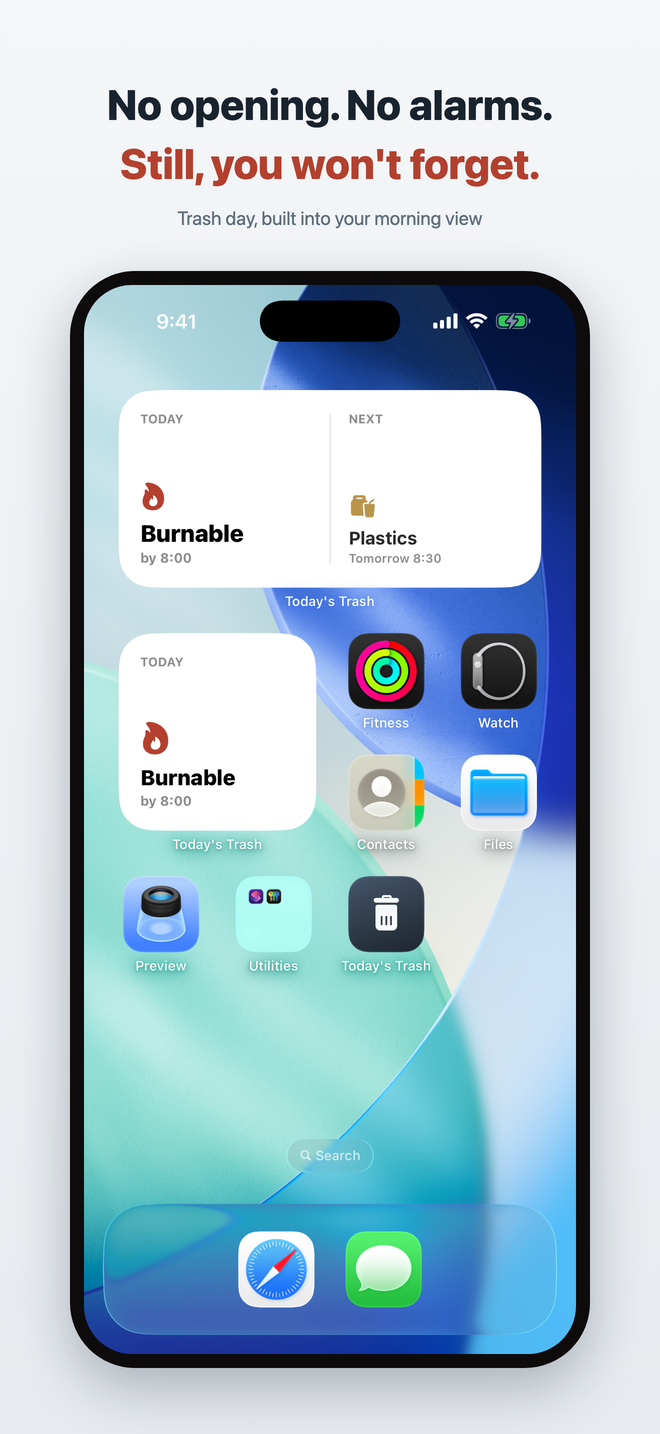
A notification arrives too late — and every reminder quietly says you forgot. So this app doesn't call you. It places "Today: Burnable" on your Lock Screen, Home Screen, and StandBy — where you already look every morning. You notice it yourself, and soon you just know.
Coming soon. Currently in preparation.
The idea
What you actually want is to be the kind of person who just knows it's trash day. So this app refuses to do three things.
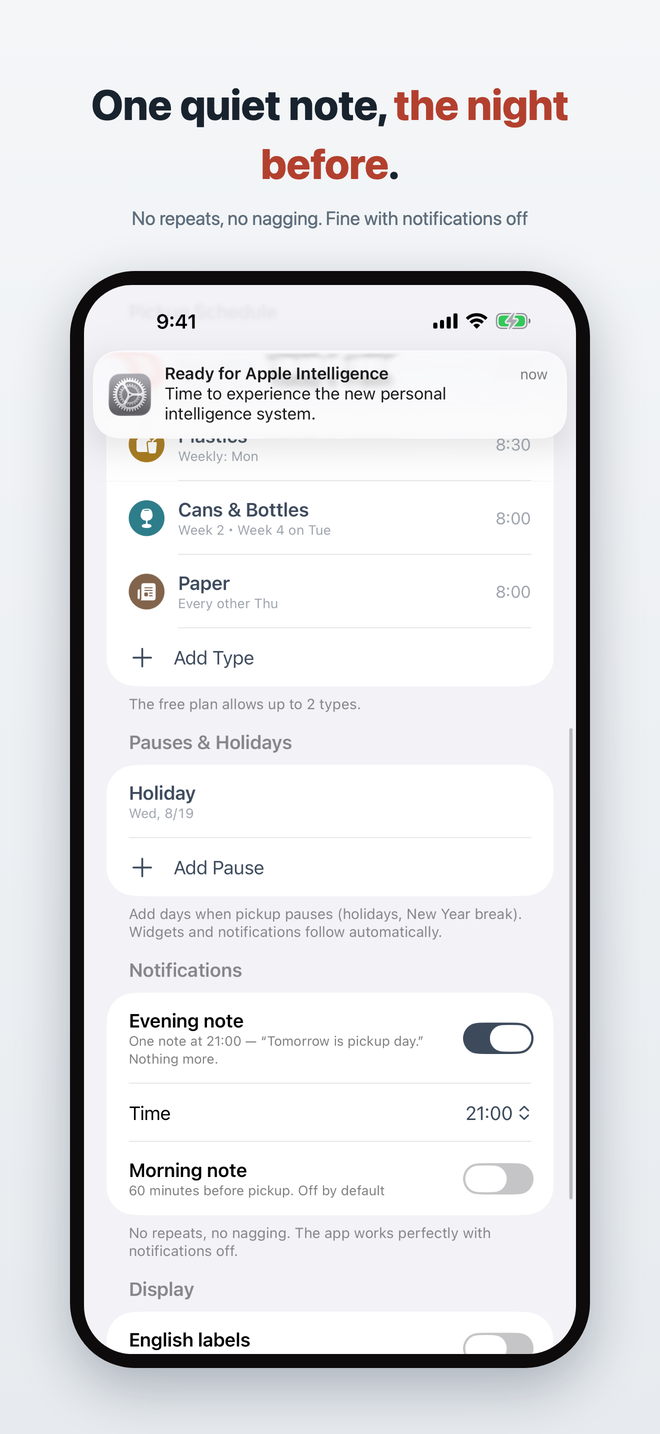
"Still haven't taken it out?" only leaves guilt. One optional note the evening before — that's all.
A grown-up's daily tool shouldn't gamify your chores or put you on trial.
If you have to open an app for trash day, the tool has failed. The information comes to where you already look.
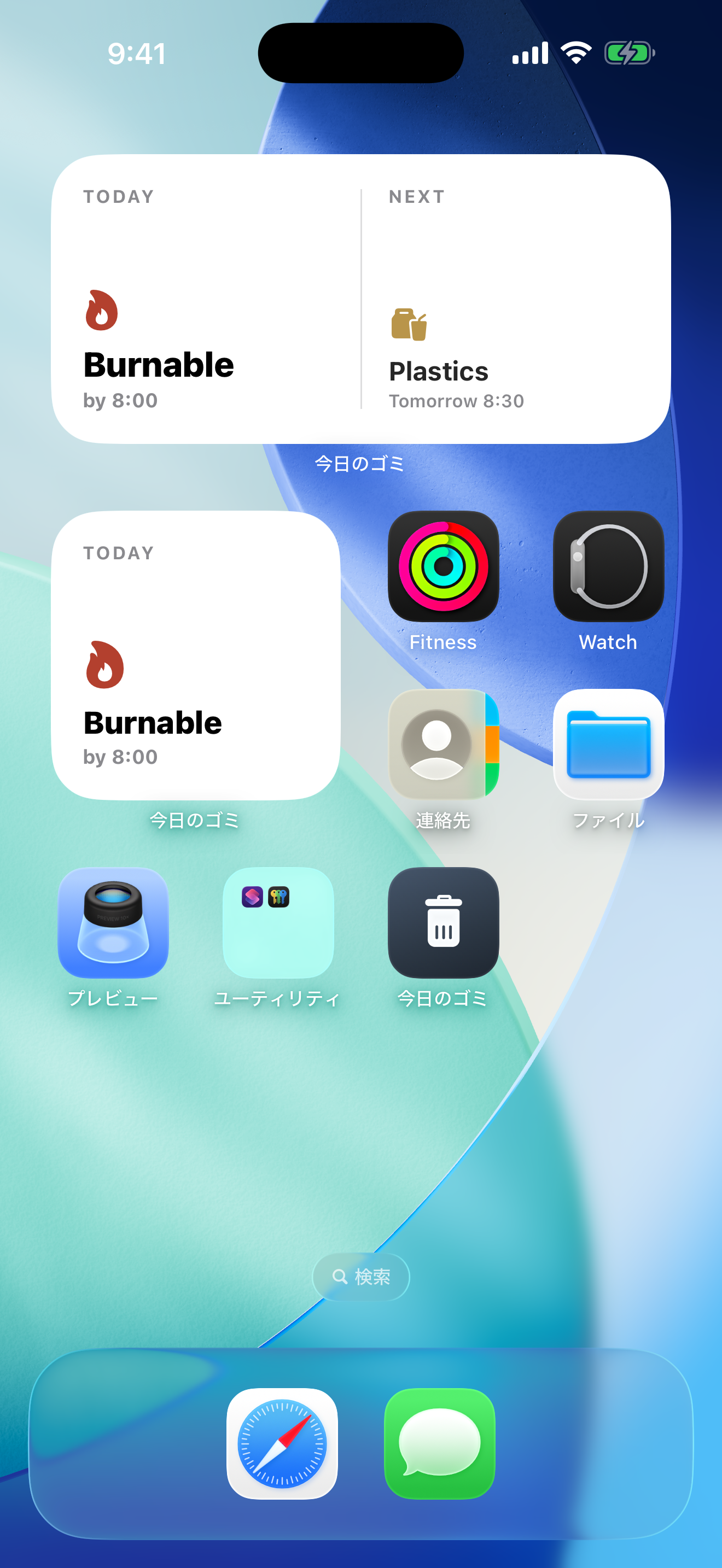
Widgets are the app
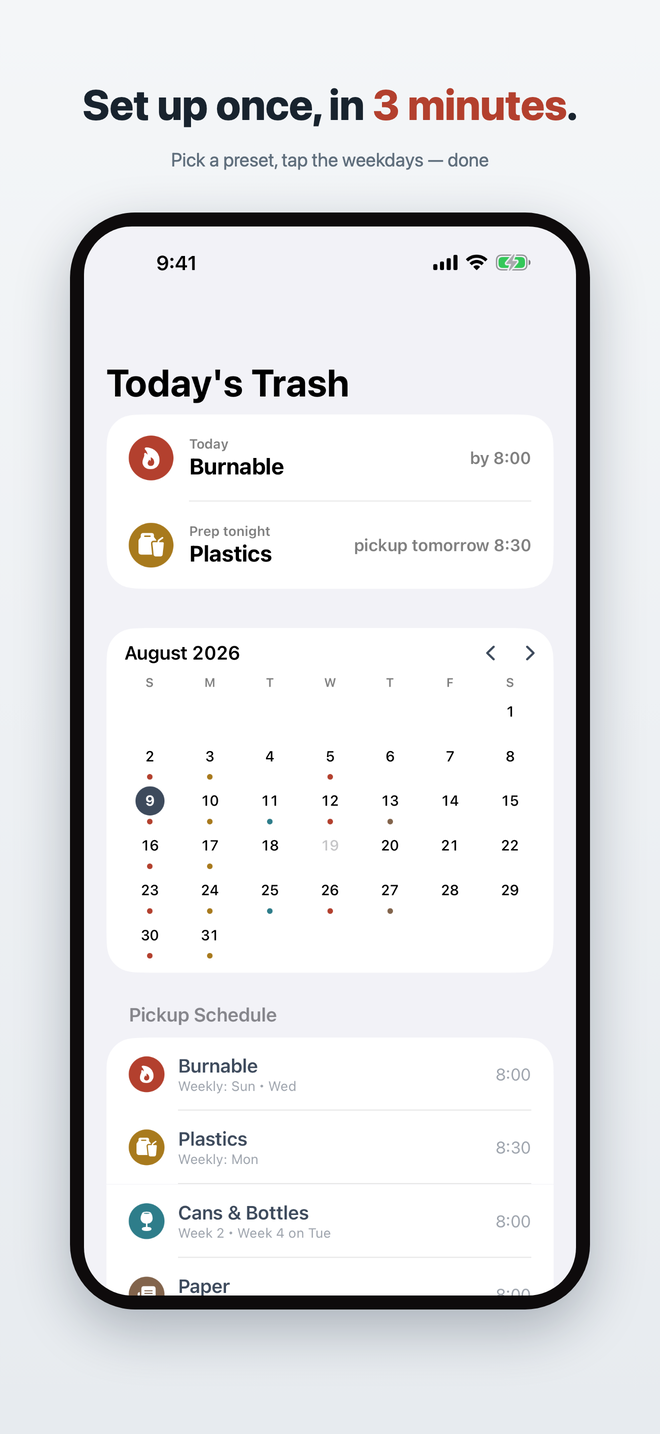
The app itself is just settings and a calendar. The widgets do the real work.
Right where you check the time. Inline, circular, and rectangular — the most valuable spot of all.
Small = today. Medium = today + tonight's prep. In the evening it switches, so you can set things out the night before.
Your bedside charger becomes the trash-day board. "Tomorrow: Plastics" before bed, "Today: Burnable" when you wake.
Add holiday pauses and every widget and notification follows. No false alarms on days off — that's where a quiet tool earns your trust.
The app
Getting started
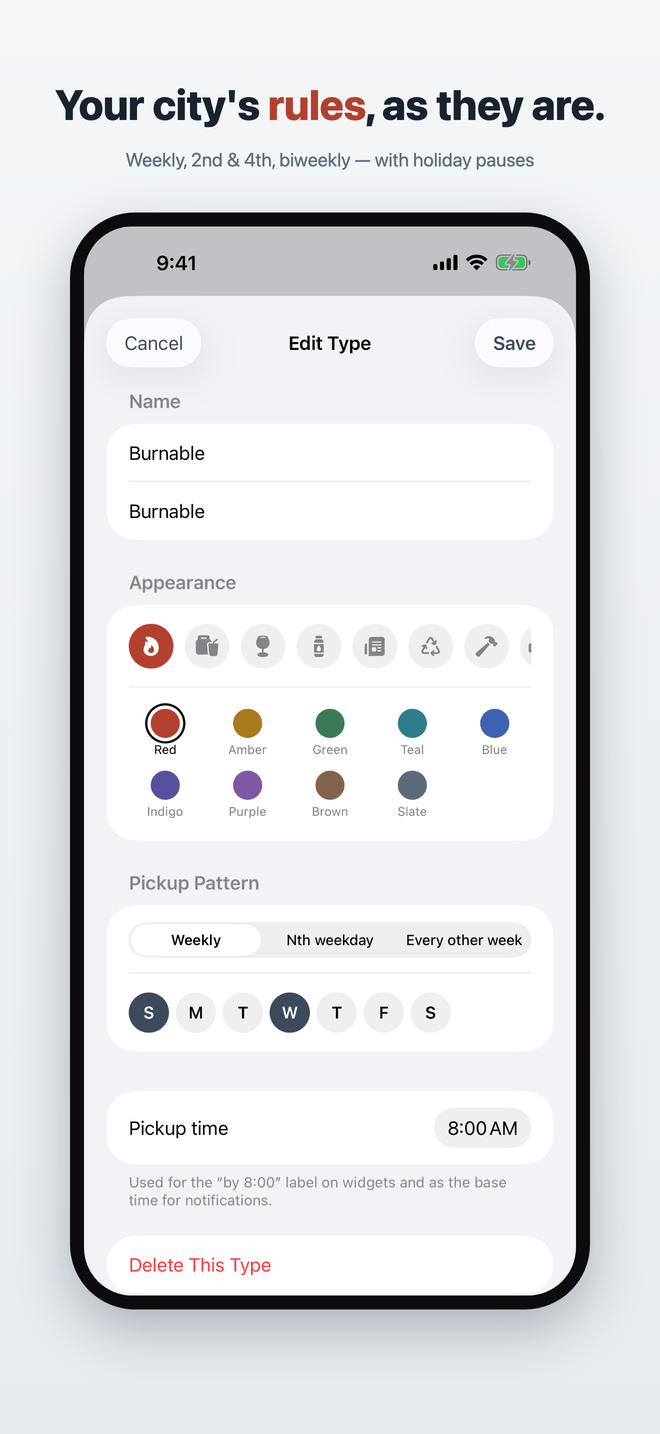
Burnable, Plastics, Cans & Bottles, Paper — name, color, and symbol fill in together.
Weekly, 2nd & 4th Thursday, or biweekly — your city's rules, as they are.
Then never open the app again. Trash day becomes part of your morning view.
Privacy & peace of mind
You set your own schedule — it works in any city and never goes stale.
Your setup lives on your device and in your own iCloud. We can't see it.
Free for 2 types. Pay ¥480 once for Lock Screen widgets and unlimited types. No subscription.
Zero ad SDKs, zero analytics, zero sign-ups.
 Today's Trash